
How Big Walk Co-op Works: Players, Crossplay, Hosting & Chat
Set up Big Walk for 2–12 friends with the right host, world size, platforms, Join Code, chat method, copies, and online subscriptions.
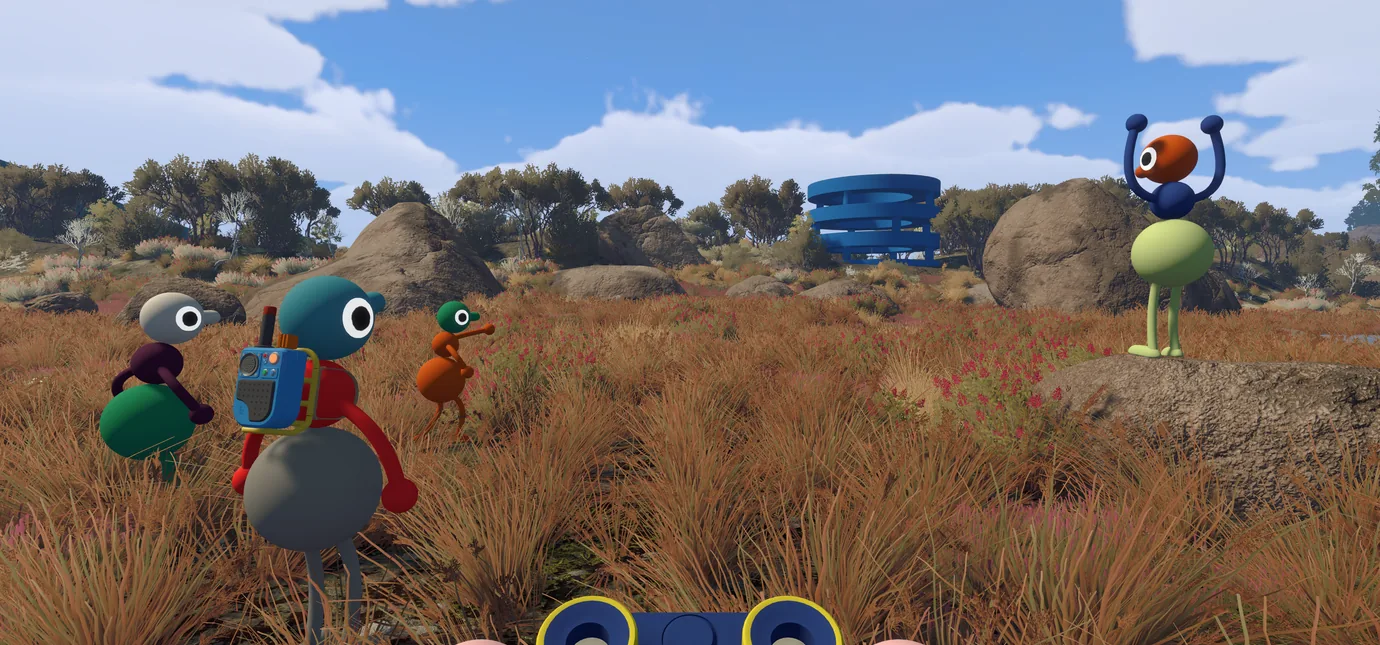
Table of contents16 sections
Big Walk is an online-only co-op adventure for 2–12 players on PC and Mac, PlayStation 5, and Nintendo Switch 2. All supported platforms can play together through crossplay. There is no couch co-op, split screen, public matchmaking, or full single-player mode.
The most important decision happens before the group starts: choose a reliable host. Big Walk stores the adventure on the host's save, disconnects everyone when that host leaves, and requires the same host to return when the group wants to continue.
Big Walk co-op requirements at a glance
| Setup question | Answer |
|---|---|
| Co-op player count | 2–12 online players |
| Supported platforms | Windows and Mac, PS5, and Switch 2 |
| Crossplay | Yes, across every supported platform |
| Couch or split-screen co-op | No |
| Public matchmaking | No |
| Solo campaign | No; one player can explore briefly but cannot progress far |
| Save owner | The host |
| Friend's Pass | No documented guest pass; plan for game access on every device |
| Built-in communication | Proximity voice chat and proximity text chat |
The Big Walk co-op details page keeps the verified platform combinations, subscription requirements, release information, and source links together.
How many people can play Big Walk?
Big Walk supports a minimum of two and a maximum of 12 players in one online session. House House does not identify one ideal group size. Fewer players create a more focused cooperative experience, while a group close to 12 is intentionally more chaotic.
When the host starts a session, the game asks for a 2-player, 3-player, or 4+ player version of the world. This setting changes some challenges to suit the expected group. It does not cap the lobby.
Treat the selected number as the minimum attendance the group expects to maintain. If six friends plan to start but only three can stay for the entire session, choosing the 3-player version may prevent later challenges from expecting a larger team. More people can still join that world.
Can players join or leave during the adventure?
Yes. Friends can join an active host session, and the player-count setting does not prevent extra people from entering. A player can also leave without ending the host's session for everyone else.
The major exception is the host. When the host stops, every guest is disconnected because that player owns the active world and save.
Does Big Walk support crossplay?
Yes. Big Walk supports online crossplay among:
- Windows and Mac through Steam;
- Mac through the Mac App Store;
- PlayStation 5; and
- Nintendo Switch 2.
Any of those versions can join another supported version. There is no Xbox, PS4, or original Nintendo Switch release, so those systems cannot participate. This is cross-platform play, not support for an unlisted console generation; the crossplay versus cross-generation guide explains the distinction.
Crossplay does not create a shared purchase. Big Walk has no official Friend's Pass or free guest client documented in its FAQ, so plan for every participating PC, Mac, PS5, or Switch 2 to have its own licensed access to the game.
How to join a friend's Big Walk session
There are two ways to find the host.
Join through the platform friends list
If the host is already a friend through Steam, PlayStation, or Nintendo, the active game should appear in the list of friends' sessions. The host must start first and load their character into the world before guests try to connect.
The Mac App Store version does not support a Game Center friends-session list. Those players should use a Join Code instead.
Join with a Join Code
Every time the host starts a session, Big Walk generates a short, unique Join Code. The host can find it in the corner of the host menu before starting or under Session Details after entering the world.
Share that code privately with the intended group. Anyone who knows it can attempt to join, and a session may also be visible to friends of people already playing. House House recommends setting a password when the host wants tighter control.
Do not expose the Join Code or password while streaming. If an unwanted person enters, the host can open Session Details, select Moderation Settings, remove that player, and change the password.
How hosting and saves work
Big Walk automatically stores progress for the host. Guests do not receive a separate copy of the shared world that they can continue independently.
That creates three practical rules:
- Pick someone who can attend most planned sessions.
- Let that person enter the world before everyone else connects.
- Use the same host when continuing the adventure later.
If the original host is unavailable, another player can host a session, but the group should not expect the original world's progress to move to that new host. Choose the save owner deliberately instead of giving the role to whoever launches first on opening night.
The host's device and connection also affect the whole group. House House notes that poor performance or networking on the host system can make other players move erratically or lose voice audio. A wired connection and stable frame rate are especially useful for a large party.
Do you need to use voice chat?
You do not need a microphone. Big Walk provides both built-in voice chat and text chat, and House House says the complete game can be played through text without missing required functionality.
Both systems follow the same intentional communication rules. Messages and voices can fade with distance, become blocked by soundproof barriers, or travel through tools such as walkie-talkies. Those restrictions are part of the puzzles rather than ordinary chat limitations.
Should the group use Discord or another outside call?
House House strongly advises against it. The game does not shut down or punish players for using an outside call, but unrestricted communication bypasses situations designed around losing contact, finding another communication method, or using an in-game tool.
For the intended experience:
- disable the group's usual voice call;
- use headphones to reduce echo;
- check each microphone in Settings > Audio;
- decide whether anyone prefers text chat; and
- learn where the mute and moderation controls are before starting.
Playing on several devices in one physical room creates the same problem because everyone can hear one another outside the game. Separate rooms can work when each player's real-world audio remains isolated.
Does Big Walk have couch co-op or a solo mode?
No. Big Walk has no couch co-op, local multiplayer, shared-screen mode, or split screen. Two people in one home still need separate supported devices, separate access to the game, and an online connection. For the communication mechanics to work properly, they should also play where they cannot hear each other directly.
There is no full solo campaign. One person can start a world and explore for a short time, but the cooperative challenges prevent meaningful progress. Do not buy Big Walk for independent play while waiting for friends or expect public matchmaking to fill the missing spaces; the game has no matchmaking system.
Copies, accounts, and subscriptions
Every remote device should have access to Big Walk. There is no Friend's Pass, and the game does not turn one host purchase into guest licenses for the rest of the group. The broader guide to co-op copy requirements explains why online play normally works this way.
Platform requirements differ:
- PC and Mac: Steam and the Mac App Store do not add a console-style paid multiplayer membership.
- PS5: the PlayStation Store says online play and PlayStation Plus are required.
- Switch 2: online play uses Nintendo Switch Online.
Each player also needs the platform account used by their version. Console family sharing or lending can affect who may launch a purchased copy, but it does not change the requirement for a separate device or make one account suitable for several simultaneous online players. Check the online co-op subscription guide before adding several console memberships.
Accessibility and group-size planning
The host can enable challenge skipping from the accessibility menu when creating a session. This matters because some activities can require hearing or reading, speaking or typing, quick reactions, or fine motor control.
Other documented options include full control rebinding, several crosshair styles, hold-or-toggle choices, motion-reduction overlays, and adjustable field of view on PC and Mac. Characters can also carry one another in some situations.
Ask about these needs before the host creates the world. The challenge-skip setting and expected player count are easier to choose correctly at the beginning than after a group discovers that its setup excludes someone.
Troubleshooting a failed connection
If the host's game does not appear or a Join Code fails, check these items in order:
- Confirm the host has entered the world, not merely opened the game.
- Try a fresh Join Code instead of relying on the friends-session list.
- Check that every device has a working internet connection.
- Compare version numbers. The first two numbers must match; the third may differ.
- Make sure every device's system clock is accurate.
- Close Big Walk completely and reopen it.
- Restart the computer or console instead of leaving it in sleep mode.
- If the whole group lags, check the host's connection, frame rate, and graphics settings first.
For voice problems, confirm the correct input is active, check the microphone activity indicator, review push-to-talk or mute settings, and make sure no player has been silenced through moderation controls. PS5 players should also verify that Mute Game Voice Chat is turned off in the console's Sound menu.
The best Big Walk setup for your group
For two or three players, choose the matching world setting and expect a focused puzzle adventure. For four or more, use the 4+ world and accept that coordination becomes less predictable as the lobby grows. If attendance will shrink during the session, choose the lower setting that matches the players who will remain.
Then select the person with the most reliable schedule, device, and connection as host. Have everyone install the latest available version, arrange platform access and subscriptions, test in-game voice or text, and join through a password-protected code.
Big Walk is also included in the best crossplay co-op games for mixed-platform groups, but its strongest fit is specific: friends on PC, PS5, and Switch 2 who want communication itself to become the cooperative challenge.